Touchpad Metal Keyboard or Trackball Metal Keyboard? A Quick Guide to Choosing the Right One
author: Irene
2026-03-20

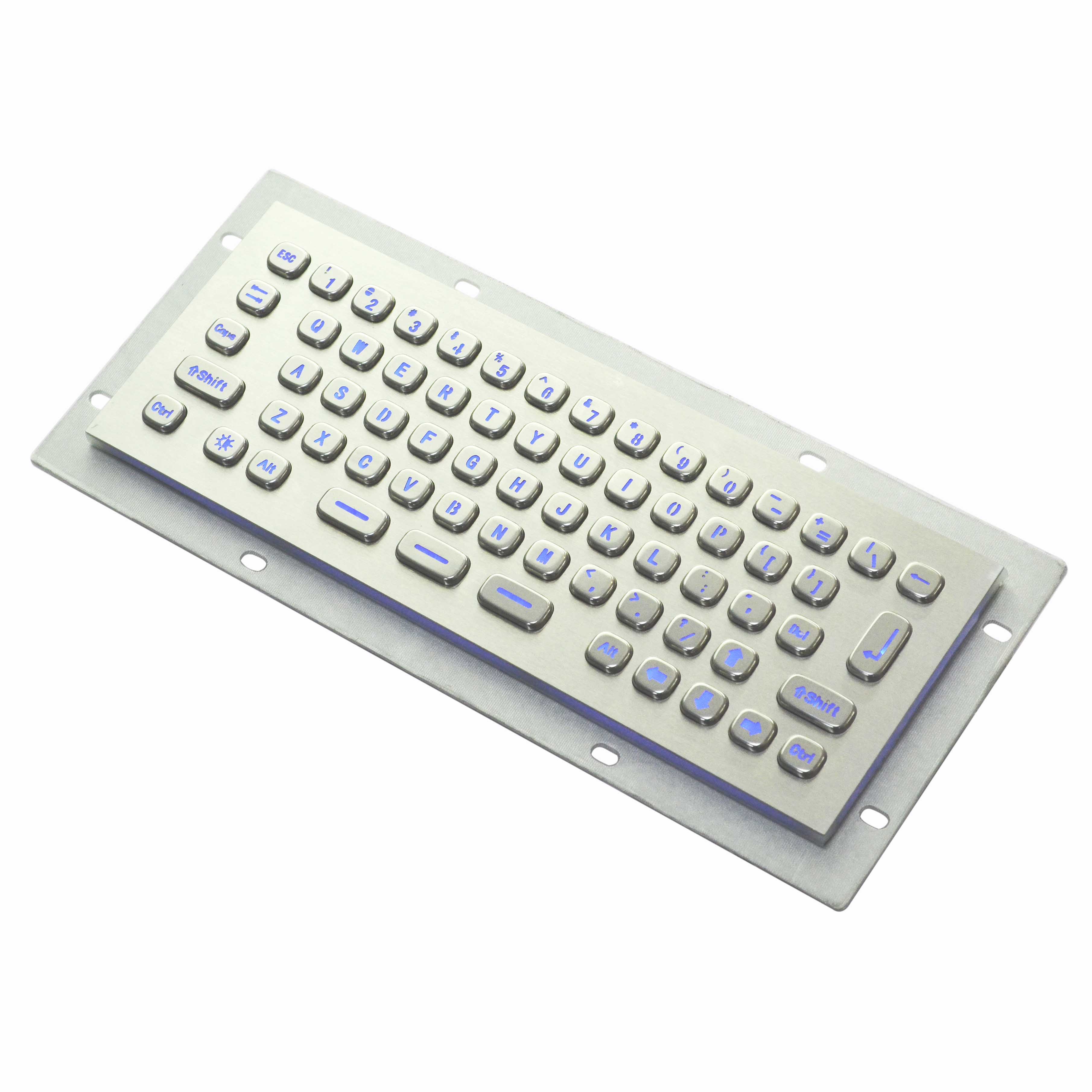
In industrial control, self-service terminals, financial counters, security monitoring, and special equipment applications, metal keyboards have become the standard for reliable input. The integrated mouse design further simplifies the control panel, saves space, and improves protection ratings, making it the mainstream choice for device integration.
Faced with two mainstream options—touchpad metal keyboards and trackball metal keyboards—many users struggle to decide. This article will help you make the right choice quickly based on operation experience, environmental adaptability, precision efficiency, and maintenance cost.
Faced with two mainstream options—touchpad metal keyboards and trackball metal keyboards—many users struggle to decide. This article will help you make the right choice quickly based on operation experience, environmental adaptability, precision efficiency, and maintenance cost.
I. Core Difference: Operation Logic Determines Application Scenarios
A touchpad metal keyboard uses flat touch sensing, allowing cursor movement via finger sliding and supporting multi‑finger gestures. Its operation is similar to everyday laptops, making it intuitive and smooth to use.
A trackball metal keyboard controls the cursor by rotating a fixed ball, while the main body stays stationary. It offers more stable positioning and stronger anti-interference performance, ideal for long‑term precise control and harsh environments.
A trackball metal keyboard controls the cursor by rotating a fixed ball, while the main body stays stationary. It offers more stable positioning and stronger anti-interference performance, ideal for long‑term precise control and harsh environments.
In short:
Touchpad focuses on convenience and gestures.
Trackball focuses on stability and durability.
Touchpad focuses on convenience and gestures.
Trackball focuses on stability and durability.
II. Touchpad Metal Keyboard: Ideal for Clean Environments & Light Frequent Use
The all-in-one touchpad metal keyboard features a fully sealed flat structure with IP65/IP68 protection. It has no protruding parts, is easy to clean and wipe, and suits scenarios with high hygiene requirements and relatively clean environments.
Advantages
• Fully flat integrated design, no dust traps, supports washing and disinfection
• Intuitive operation, easy for new users, supports zoom, scroll and other gestures
• Slimmer structure, suitable for embedded and compact consoles
• No mechanical ball, lower failure rate, simpler maintenance
Recommended Applications
• Medical equipment, self-service kiosks, queuing machines
• Office industrial consoles, laboratory instruments, commercial touch terminals
• Space-limited places requiring frequent cleaning and disinfection
III. Trackball Metal Keyboard: Ideal for Harsh Environments & High‑Precision Control
Trackballs use opto-mechanical positioning with high linearity and no cursor drift. They remain stable even in vibration, oil, and dust environments, and support gloved operation—making them the rugged choice for industrial and special applications.
Advantages
• Accurate and drift-free positioning, suitable for long‑term precise control
• Fixed main body, excellent anti-vibration and anti-interference performance
• Supports operation with oil or gloves, adapts to harsh working conditions
• More ergonomic and comfortable for long‑time use
Recommended Applications
• Industrial control, CNC machines, production line consoles
• Security monitoring, dispatch centers, multi-screen consoles
• Petroleum, chemical, explosion-proof areas, vehicle and marine equipment
• Financial counters, outdoor kiosks, mining and port equipment
IV. Key Selection: 4 Points to Choose Easily
1. Environment
Dusty, oily, humid, high vibration → choose trackball
Clean, disinfection-required, indoor fixed → choose touchpad
Dusty, oily, humid, high vibration → choose trackball
Clean, disinfection-required, indoor fixed → choose touchpad
2. Operation
Needs gestures, fast switching, light use → choose touchpad
Needs precise positioning, long control, no drift → choose trackball
Needs gestures, fast switching, light use → choose touchpad
Needs precise positioning, long control, no drift → choose trackball
3. Maintenance
Minimal maintenance, no disassembly cleaning → choose touchpad
Accepts regular ball cleaning, prioritizes long-term stability → choose trackball
Minimal maintenance, no disassembly cleaning → choose touchpad
Accepts regular ball cleaning, prioritizes long-term stability → choose trackball
V. Conclusion: No Absolute Best, Only the Best Fit
There is no absolute winner between touchpad and trackball metal keyboards. The key is to match your environment and usage habits.
• For cleanliness, convenience, easy maintenance → choose touchpad metal keyboard
• For stability, precision, harsh environment resistance → choose trackball metal keyboard
A proper choice improves equipment reliability, reduces after-sales costs, and creates more efficient and durable human-machine interaction.
The touchpad integrated silicone keyboard
Wired and Wireless Stainless Steel Keyboards: Dual Solutions for Diverse Professional Scenarios
Related Article

In industrial production, outdoor operations, and in environments that are humid and dusty, traditional keyboards often fail to withstand the test of the environment and are prone to malfunction. However, waterproof and dustproof industrial membrane keyboards, with their outstanding waterproof and dustproof capabilities, have become the preferred keyboards for these harsh environments.
Advantages of Industrial membrane keyboard