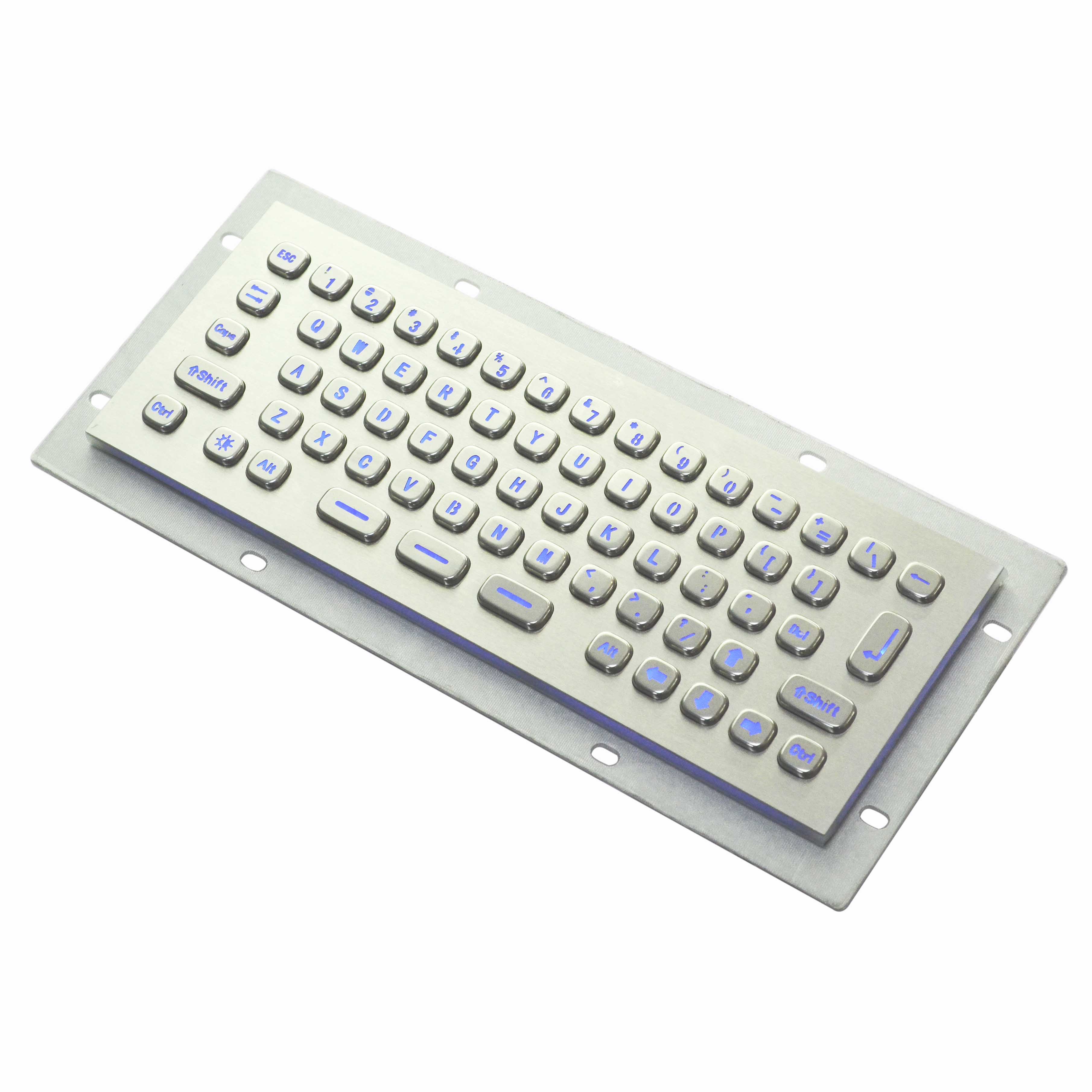
How should metal keyboard be cleaned

Metal keyboard is a command and data input device used to operate the operation of equipment. It also refers to a set of function keys arranged by the system to operate a machine or device. So, how should metal keyboards be disinfected and used after long-term use?
Preparations before cleaning
Tools preparation: Compressed air tank, microfiber cloth, alcohol or detergent suitable for electronic products, cotton swab, small brush, vacuum cleaner, soft brush. Compressed air tanks are used to blow away the dust in the gaps of keyboards. Wipe the keyboard surface with a microfiber cloth to avoid scratches. Alcohol or cleaning agents are used for cleaning. Clean the tiny crevices with a cotton swab; Clean the surface dust with a small brush and a soft-bristled brush. A vacuum cleaner assists in removing dust.
Power-off operation: If it is a metal keyboard on a laptop, turn off the computer and unplug the power cord. If it is an external keyboard, simply unplug the USB cable to ensure safety during cleaning.
Tap the metal keyboard
Turn off the computer and remove the metal keyboard from the main unit. Place a newspaper on the table, turn the metal keyboard upside down, about 10 centimeters away from the tabletop, and tap and shake it. Turn the keyboard upside down and gently shake it to let the loose dust and debris fall off. This simple step can shake out a lot of debris.
Blow away the debris
Use a hair dryer to blow at the gaps in the metal keyboard keys to remove any debris adhering to them. Then, turn the metal keyboard upside down again and shake and pat it.
Scrub the surface
Use a soft cloth dipped in diluted detergent (note that the cloth should not be too wet) to scrub the surface of the keys. Then vacuum the keyboard again with a vacuum cleaner. Dip a microfiber cloth in a small amount of alcohol or detergent and gently wipe the surface of the keyboard. Be sure to keep the fabric moist but not dripping to prevent liquid from seeping into the interior of the keyboard. When wiping, using circular motion can better clean every corner.
Crevices cleaning: For some narrow crevices that are difficult to clean, use a cotton swab dipped in alcohol to gently wipe them to ensure that every corner is clean.
Stubborn stain treatment: If there are stubborn stains, you can wipe them with a little force, but be patient to avoid damaging the keyboard. If there is oxidation or rust on the metal surface, a special metal cleaner can be used for treatment, but it is necessary to test it in an inconspicuous place first to observe whether it will cause damage to the keyboard.
Clean thoroughly: If you want to give the metal keyboard a thorough cleaning, you have to remove the caps of each key. The key caps of a regular keyboard are detachable and can be pried off with a small screwdriver or an ear pick. The larger key caps such as the space bar and the Enter key are difficult to return to their original positions, so try not to remove them.
Drying and Inspection
After cleaning, let the keyboard dry naturally for a period of time to ensure there is no residual moisture inside.
Check: After drying, reconnect the power supply and turn on the machine, and check if the keyboard works properly. If you find any malfunction of the buttons or other problems, please stop using it immediately and seek professional repair.
Daily maintenance
Use a protective film or keyboard cover: After cleaning the keyboard, you may consider adding a protective film to the keyboard or using a keyboard cover regularly, which can effectively reduce the accumulation of dust.
Regular cleaning
Set a monthly cleaning plan to keep the keyboard clean and hygienic. At the same time, avoid placing food or beverages and other easily contaminated items on the keyboard, and keep the usage environment clean and dry.
The marine trackball
The features and applications of industrial numeric keypads
Related Article