industrial 2.4g stainless steel wireless keyboard
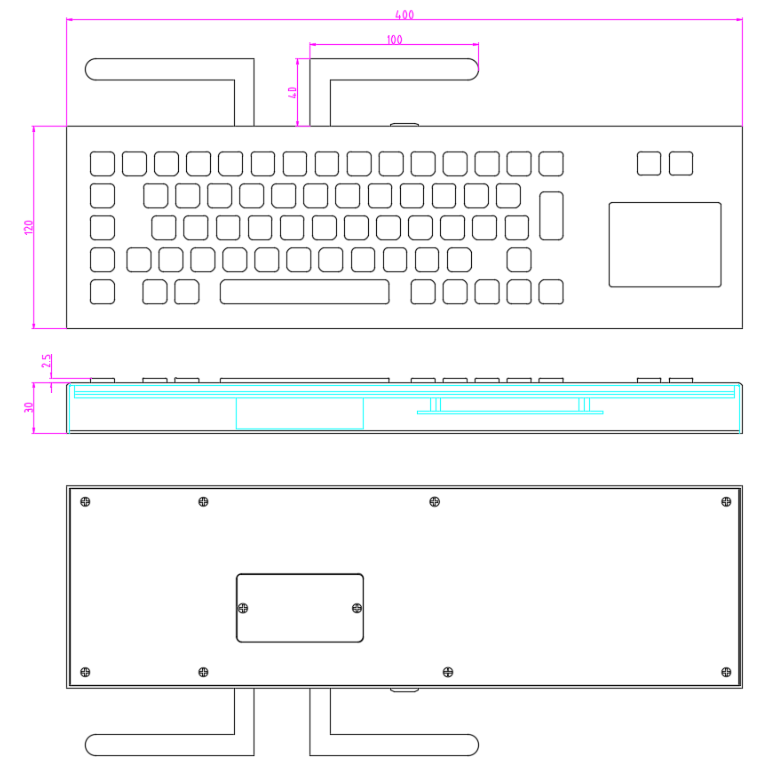
Front Panel:400*120mm
Overall:400*120*30mm
Features:
Mounting Solution: Desktop stainless steel wireless keyboard.
PCB adopts industrial immersion gold process.
Waterproof and Vandalproof,Suitable for various harsh environments and can be used both indoors and outdoors.
High-quality SUS304 stainless steel keypad, rugged vandal proof, Anti-corrosion design.
The layout can be customized and supports languages of various countries.
Support for Braille or graphic key caps ( optional).
Button switch: Metal dome switch technology.
Keys:66.
with touchpad mouse.
2.4 G wireless keyboard and mouse.
KY-PC-DT-D4 is industrial 2.4g stainless steel wireless keyboard with touchpad.
This stainless steel wireless keyboard has an IP65 surface design, which is dustproof and waterproof, and can be used in harsh environments.
The keycsps of this wireless keyboard are made of 304 stainless steel through stamping and stamping, and the characters are corroded, filled with oil, and baked, with wear-resistant characteristics.
2.4g stainless steel wireless keyboard and PC receiver networking pairing:
Remove the receiver from the PC host (power off the receiver);
After the wireless keyboard device is powered on, enter the 2.4G mode through the combination key.
After long pressing the FN + R combination key for 5 seconds, the device will enter the broadcast mode. At this time, reconnect the receiver to the PC host (power on the receiver again), wait for 2 seconds, and press the Enter key on the keyboard to complete the pairing.
2 4g wireless keyboard mechanical / electrical data:
Power supply | 5V±5% |
Working current | <100mA |
Durability | >2 millions |
Interface | 2.4G wireless |
Compatible with systems | Window XP、Window 7、Window 8、Window10、Linux、Ubuntu、Android |
Key size | 14mm*14mm*4.5/14*28*4.5/10*14*4.5mm |
Key trip | 1.5mm |
Operation force | 1.5N±10% |
Mounting way | From bottom to top, back panel fixing |
Net weight | 2.05 Kg |
Gross weight | 2.2 Kg |
Operation Temperature | -0℃~40℃ |
Storage Temperature | -30℃~85℃ |
| 2.4G transmission distance | 7 meters |
| Bluetooth transmission distance | 8 meters |
| Wireless battery life Bluetooth mode | Bluetooth mode: 30 days 2.4G mode: 60 days (this parameter is calculated based on a dry cell battery capacity of 2300mah and an average working time of 5 hours per day) |
- Industrial automation machinery and equipment
- Maritime vessels
- kiosk
- Medical equipment and clean room environment
- Outdoor vending booth
- Sales information kiosk
- Mobile devices
- Self service car wash
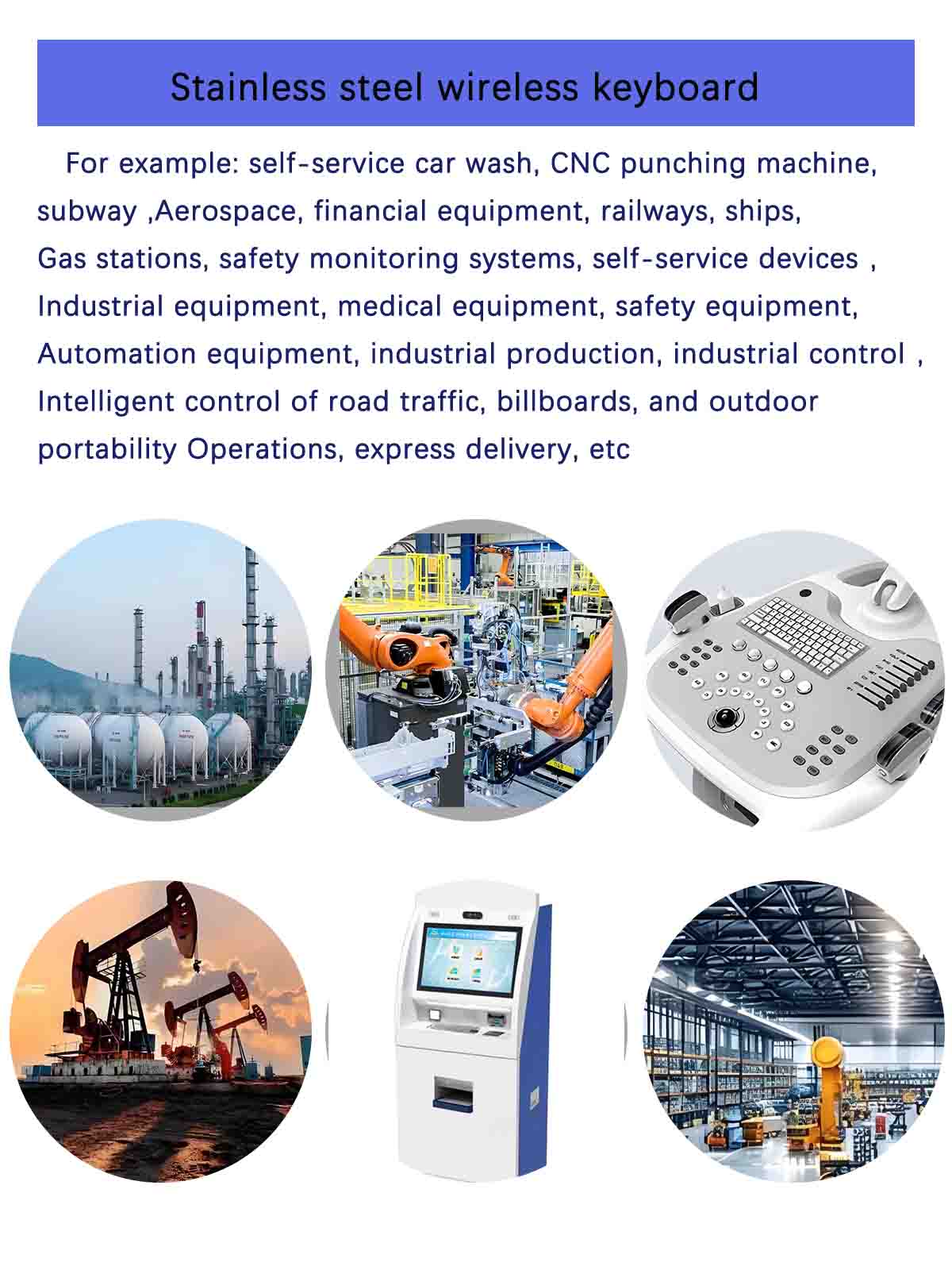
66 keys IP65 rugged keyboards military customized Function Description of Keyboard Layout
1. Comprehensive Multilingual Support
Support different languages layout : The keyboard is engineered to support a vast array of national languages, including but not limited to English, Spanish,French, German, Portuguese, and Russian. This ensures seamless communication and typing for users across different linguistic backgrounds.
Dynamic Language Switching: Facilitates effortless switching between languages with intuitive key combinations (e.g., Ctrl+Shift or dedicated language keys), enabling multilingual users to maintain productivity without interruption.
2. Bilingual Keycap Engraving & Layout Options
Bilingual Keycaps : Physical keycaps are designed to accommodate bilingual engravings, such as English and Japanese, or English and Persian,English and Korean languages. This feature is particularly useful for bilingual users who frequently switch between languages during their work or daily activities.
Layout Versatility: Offers both American (ANSI) and European (ISO) keyboard layouts, ensuring compatibility with different regional standards and user preferences.
3. Internet/Symbol Shortcut Keys
Common characters: including dedicated combination keys, which can be used to quickly input commonly used internet combination characters, such as"www","ftp://",". com",and"@". This feature accelerates web browsing, email composition, and other digital tasks.
Customizable Shortcuts: Allows users to personalize shortcut keys to suit their specific workflow, enhancing efficiency and reducing typing errors.
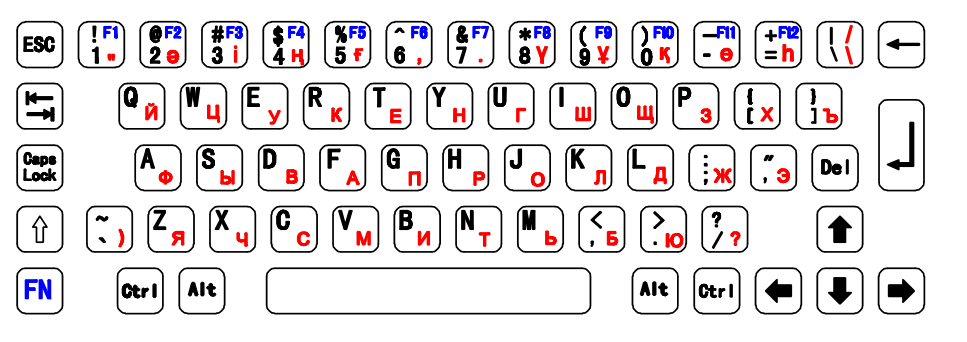
The layout of the 2.4g wireless keyboard supports dual languages, and customers can customize the language layout of the stainless steel wireless keyboard, according to their application scenarios.
For example, the layout of English and Kazakh is shown below
4.The choice of 2.4g wireless keyboard layout:
On the other hand, the 2.4g wireless keyboard AZERTY layout is specifically optimized for French - speaking users. It strategically positions frequently used letters, like A, Z, E, and others, in more easily reachable locations. This thoughtful design greatly enhances the efficiency of French input. When placing an order, users have the flexibility to select the wireless keyboard layout that best meets their needs.
5. Special Industry Customization (Blocking Function)
Finance/Healthcare Sector
In the finance and healthcare industries, where precision and unwavering focus are absolutely crucial, the keyboard offers a highly practical configuration option. It allows users to disable the Windows key or lock the Caps Lock key. This feature serves as a safeguard, effectively preventing any unintended interruptions that could occur during critical tasks.
For instance, in finance, a single accidental press of the Windows key while entering crucial financial data could lead to errors with far - reaching consequences. Similarly, in healthcare, an unplanned activation of the Caps Lock key during the input of sensitive patient information might cause confusion or misinterpretation. Thus, this keyboard function is of significant value in these demanding fields.
Industrial Environments
In industrial scenarios, which are often fraught with high - risk situations, the keyboard provides a vital safety feature. By pressing the Fn + Esc combination, an emergency stop command can be instantly triggered. This capability acts as a rapid - response mechanism, ensuring the safety of both personnel and equipment in potentially hazardous workplaces.
Furthermore, this functionality is not a fixed solution; it can be customized to meet the specific, unique needs of different industries. Whether it is a manufacturing plant, chemical processing plant, or other industrial environment, the keyboard functionality can be customized to provide the most suitable solution.
6. Single-Key Language Switching
Instant Language Switching
User - Friendly Interface
IP65 rugged stainless steel wireless keyboard dimension: