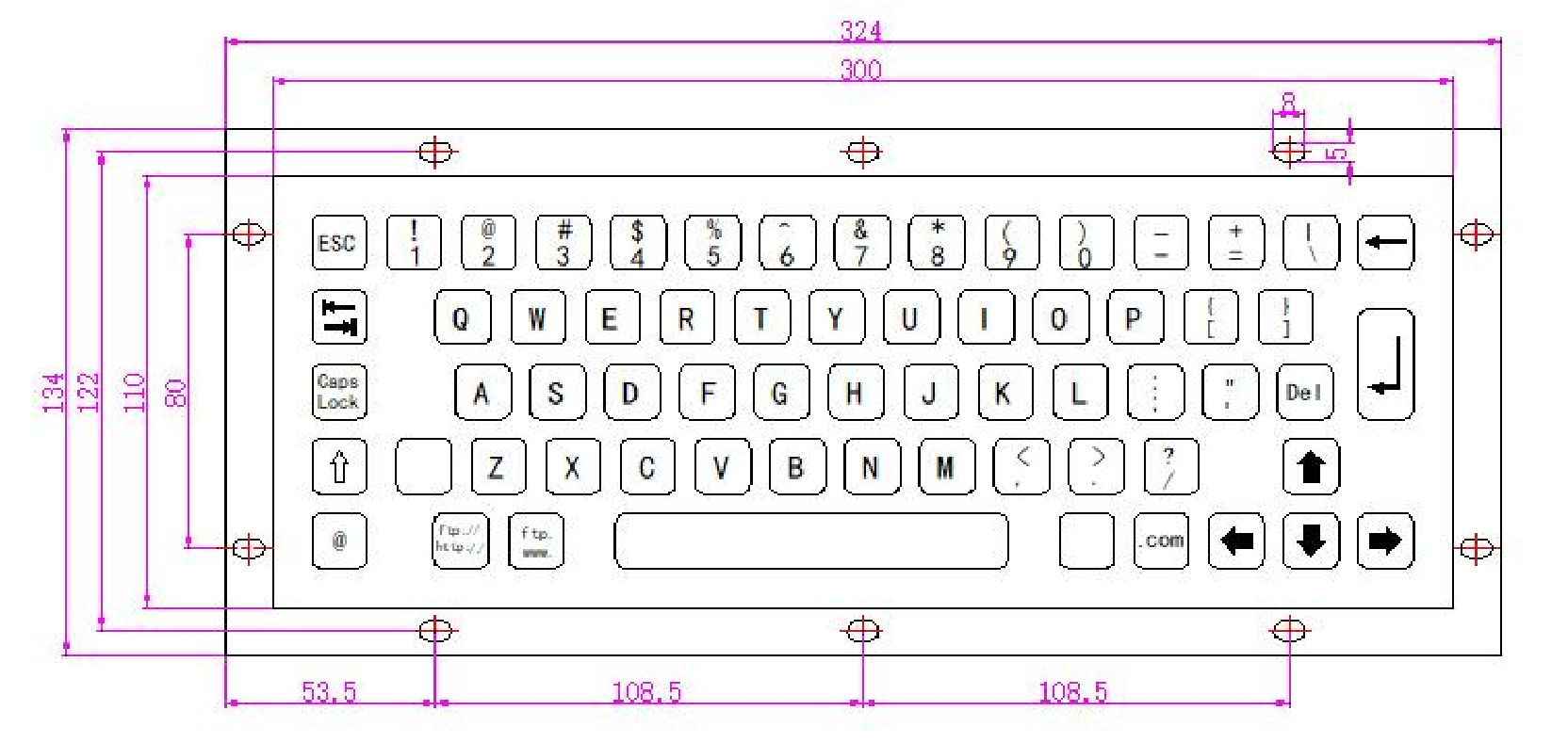
Model No: KY-PC-C-BR
A usb keyboard with braille keyboard keys
Dimension:
Front Panel:300*110 mm
Overall:324*134 mm
Features:
braille keyboard keys
Stainless steel keyboard
Mounting Solution: Rear panel mount
PCB adopts industrial immersion gold process
Buttons made of stainless steel
Laser or Etching procedure for key labeling optional
Waterproof and Vandalproof,Suitable for various harsh environments and can be used both indoors and outdoors
Can support free customization of language layouts for various countries
Keys:64
Front Panel:300*110 mm
Overall:324*134 mm
Features:
braille keyboard keys
Stainless steel keyboard
Mounting Solution: Rear panel mount
PCB adopts industrial immersion gold process
Buttons made of stainless steel
Laser or Etching procedure for key labeling optional
Waterproof and Vandalproof,Suitable for various harsh environments and can be used both indoors and outdoors
Can support free customization of language layouts for various countries
Keys:64
Quantity :
Subscribe to our Newsletter
KY-PC-C-BR is a 64 keys usb braille keyboard, the keys use braille keyboard keys, made of 304 stainless steel material through stamping and forming,stainless steel panel mount keyboard.
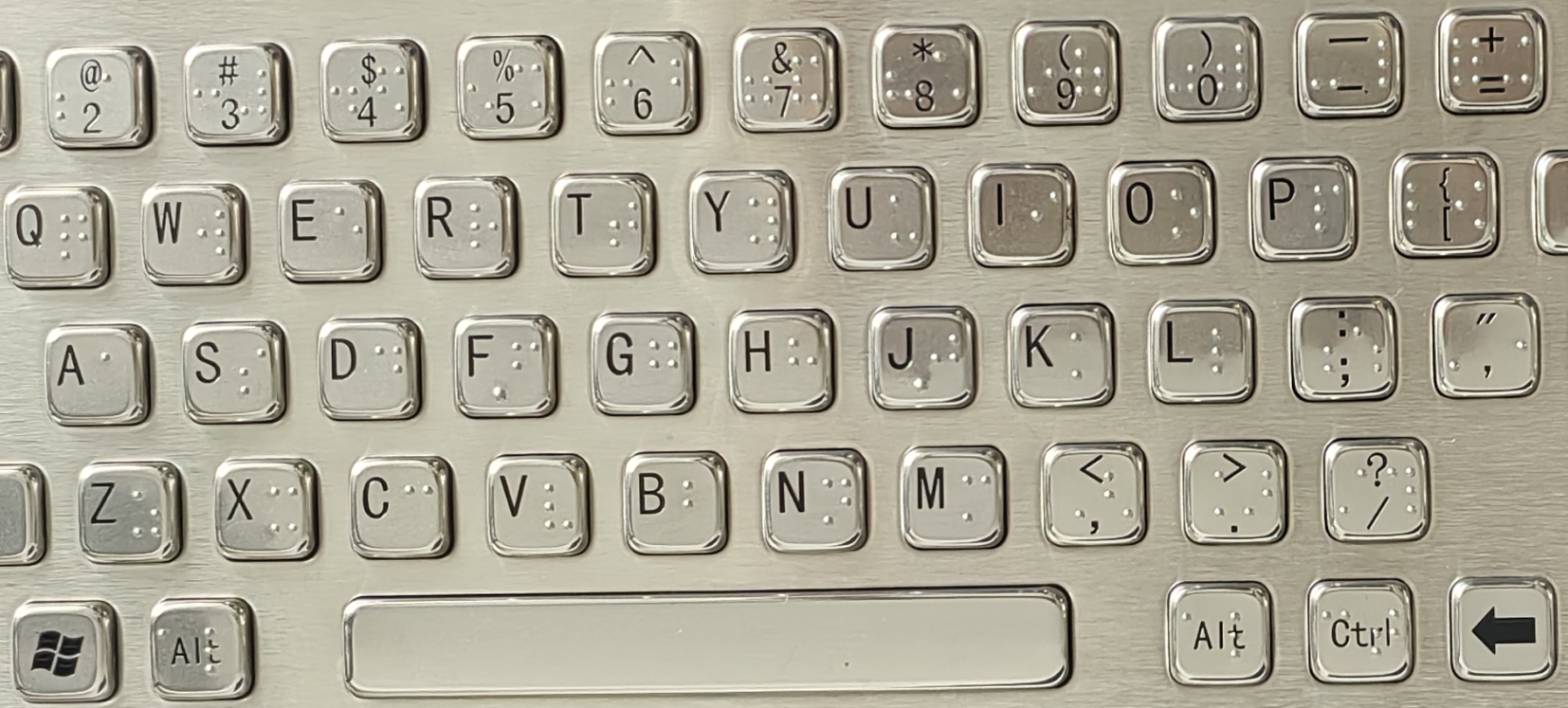
The braille keyboard keys's characters are processed with corrosion and oil filling technology, which has strong adhesion and is not easy to fall off,stamping blind spots with molds is a reinforced metal Braille keyboard designed specifically for the visually impaired.
The keyboard braille spot protruding on the keys button as shown in the following figure.
A braille keyboard Mechanical / Electrical Data:carbon-on-gold metal keyboard,waterproof metal keyboard,durable metal keyboard
Power supply | 5V±5% |
Working current | <100mA |
Durability | >2 millions |
Interface | USB / PS/2 |
Compatible with systems | Window XP、Window 7、Window 8、Window 10、Linux、Ubuntu、Android |
Key size | 14*14*4.5/14*28*4.5/100*14*4.5mm |
Key trip | 1.5mm |
Operation force | 1.2N+/-0.1N |
Mounting way | From bottom to top, back panel fixing |
Net weight | 0.95Kg |
Gross weight | 1.05Kg |
| Operation Temperature | -20℃~60℃(Relative humidity 20%~85% / Atmospheric pressure 60~106Kpa) |
| Storage Temperature | -30℃~85℃(Relative humidity 20%~90% / Atmospheric pressure 60~106Kpa) |
| Approval | RoHS、IP65、FCC、CE |
Carbon-on-gold metal keyboard,waterproof metal keyboard,durable metal keyboard
A braille keyboard application:
Braille keyboard is an input device designed specifically for visually impaired individuals, which helps users operate electronic devices efficiently through tactile feedback and Braille system. And metal braille keyboards are non-destructive and more suitable for use in public places:
1. Educational scene
Student classroom learning:
Visually impaired students can input notes, complete assignments, or operate educational software through Braille keyboards
In special education schools, students use Braille keyboards to connect to computers and translate Braille into text in real-time, which is displayed on the screen.
2. Workplace office
Document processing and communication
Visually impaired employees can independently write reports, send and receive emails, or use office software (such as Word/Excel combined with screen readers) to reduce dependence on transcribers.
Programming and Technical Support
Braille keyboard supports code input, helping visually impaired programmers work efficiently.
3. Daily life
Social media and instant messaging
Users input text through Braille keyboard
Smart Home Control
For example, using Braille to input specific temperature settings to compensate for the errors of pure voice control.
4. Public services and accessible facilities
Bank/Hospital Self Service Terminal
Self service machines equipped with braille keyboards allow visually impaired users to independently handle transactions such as deposits, withdrawals, and registration. The keyboard provides physical key guidance and tactile confirmation.
Library information inquiry
The computers in the museum are integrated with Braille keyboards, allowing users to directly input Braille when searching for books.
Student classroom learning:
Visually impaired students can input notes, complete assignments, or operate educational software through Braille keyboards
In special education schools, students use Braille keyboards to connect to computers and translate Braille into text in real-time, which is displayed on the screen.
2. Workplace office
Document processing and communication
Visually impaired employees can independently write reports, send and receive emails, or use office software (such as Word/Excel combined with screen readers) to reduce dependence on transcribers.
Programming and Technical Support
Braille keyboard supports code input, helping visually impaired programmers work efficiently.
3. Daily life
Social media and instant messaging
Users input text through Braille keyboard
Smart Home Control
For example, using Braille to input specific temperature settings to compensate for the errors of pure voice control.
4. Public services and accessible facilities
Bank/Hospital Self Service Terminal
Self service machines equipped with braille keyboards allow visually impaired users to independently handle transactions such as deposits, withdrawals, and registration. The keyboard provides physical key guidance and tactile confirmation.
Library information inquiry
The computers in the museum are integrated with Braille keyboards, allowing users to directly input Braille when searching for books.
Customized Function Description of USB braille keyboard Keyboard Layout
1. Support different national languages: English, French, German, Spanish, Portuguese, Russian, etc
2. Multi language keycap compatibility: Keycaps physically support bilingual engraving (such as English+Korean, English+Russian, English+Persian); Provide layout options such as European (ISO) and American (ANSI).
3. Support internet/symbol shortcut keys: independent physical keys or combination keys for quick input of www. , ftp:// , http:// , .com , @ , high-frequency characters.
2. Multi language keycap compatibility: Keycaps physically support bilingual engraving (such as English+Korean, English+Russian, English+Persian); Provide layout options such as European (ISO) and American (ANSI).
3. Support internet/symbol shortcut keys: independent physical keys or combination keys for quick input of www. , ftp:// , http:// , .com , @ , high-frequency characters.
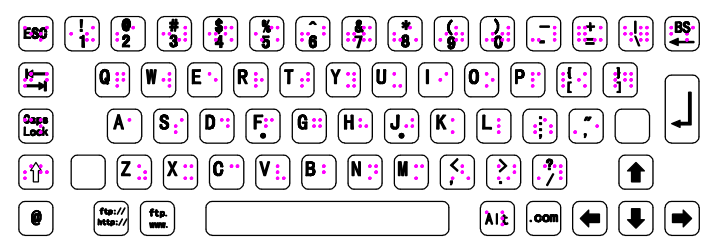
4. FN Function Layer Extension: Default numeric keypad overlay with F1~F12 functions (F1 needs to be triggered by pressing Fn+1);
FN+letters can be set for media control (volume/brightness), screenshot, program launch, etc.
5. Special industry customization (blocking function): finance/healthcare (disable Win key or lock CapsLock)
Industrial scenario (Fn+Esc triggers emergency stop command).
6. Support one-key switching of keyboard input language: ctrl shift combination.
Industrial scenario (Fn+Esc triggers emergency stop command).
6. Support one-key switching of keyboard input language: ctrl shift combination.
A braille keyboard can choose different interfaces:
PC keyboards generally choose USB or PS/2 interfaces.
(1) USB (Universal Serial Bus): USB Type-A (Standard Interface)
Features: Plug and play (hot swappable), supporting power supply and data transmission
(2) PS/2 interface: It needs to be connected before booting up (does not support hot swapping), with no delay
(3) Wireless interface (customizable) low-power design:
Bluetooth (Bluetooth)
2.4GHz wireless (USB receiver)
(4) RS232 (DB9 serial port): mainly used in specialized scenarios such as industrial consoles, medical equipment, bank terminals, etc
(5) RS485 (Industrial Differential Communication) is mainly used in factory automation (PLC), multi device networking (≤ 32 nodes), with strong anti-interference and long transmission distance
(6) Customize other interfaces according to requirements
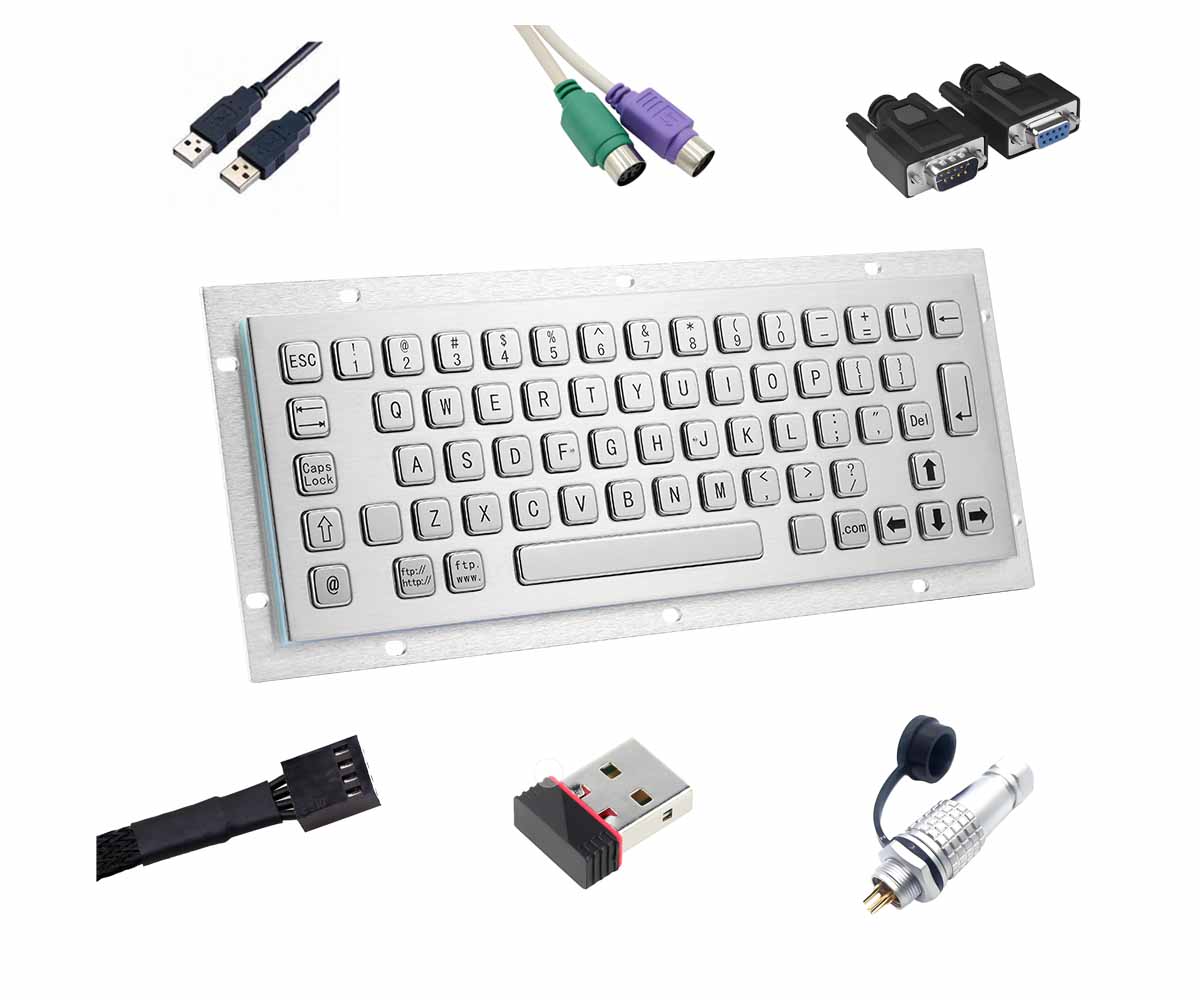
The lengths of USB cables are usually 2.5 meters, 4 meters, and 0.6 meters (other lengths can be customized).
A braille keyboard Dimension: